

Choosing a screen is one of the first decisions in any electronics build, and the same question keeps coming up: OLED vs LCD display module, which one should you use? Both can show text, numbers and simple graphics, but they work differently and suit different projects. This guide explains OLED vs LCD display module in simple words, so students and hobbyists can choose without wasting money.
What Is the Difference Between OLED vs LCD Display Module?
An OLED screen makes its own light. Every tiny pixel glows by itself, so there is no backlight, and black pixels are truly off. An LCD needs a backlight behind it, and the liquid crystal layer only blocks or passes that light. This one idea explains most of the OLED vs LCD display module differences you will notice on your bench.
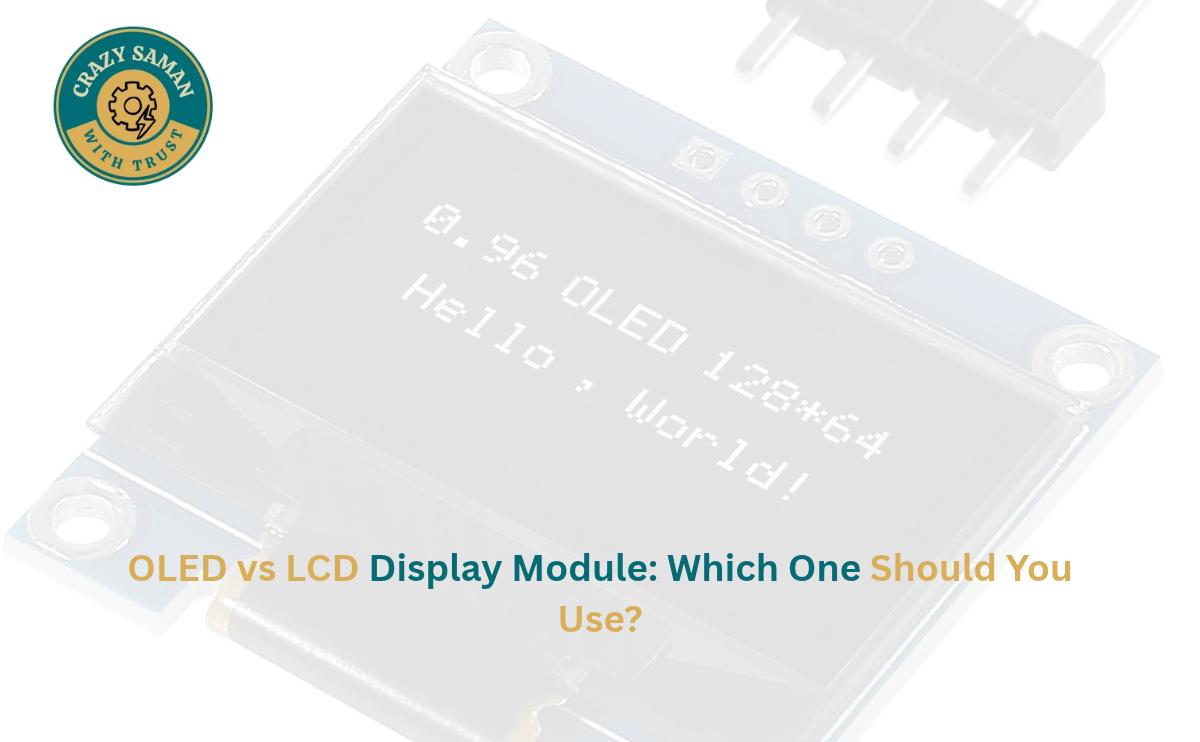
The two modules beginners meet most often are the 0.96 inch OLED and the 16×2 LCD. The OLED is a tiny graphic screen. The 16×2 LCD is a character screen with 16 letters on each of two rows.
OLED vs LCD Display Module: Key Differences in Display Quality and Performance
Put side by side, the OLED looks sharper. In an OLED vs LCD display module comparison, OLED wins on contrast and viewing angle, and its text stays clear even from the side. The 0.96 inch OLED has 128×64 pixels, so it can draw graphs, icons and small images.
The 16×2 LCD is simpler. It has a fixed grid of characters, which is perfect for readings and short messages but not for graphics. It is steady, easy to read in bright rooms and very dependable. For animation and visuals, OLED vs LCD display module is not a close contest, but for plain text the LCD does the job well.
0.96 Inch OLED Display Uses in Electronics Projects
This screen talks over I2C, so it needs only four wires: VCC, GND, SCL and SDA. That leaves most of your Arduino pins free. Popular 0.96 inch OLED display uses include:
- Temperature and humidity monitors with a DHT11 sensor
- Digital clocks and stopwatches
- Distance meters with an ultrasonic sensor
- Small menus, icons and mini games
- Battery level indicators
Libraries such as Adafruit SSD1306 and U8g2 make it easy to start.
16×2 LCD Display for Arduino: Features and Applications
A 16×2 LCD display for Arduino is the classic first screen for beginners. It uses the HD44780 controller, runs on 5V and has a built-in backlight. It needs many wires on its own, but an I2C adapter brings that down to four. The LiquidCrystal library ships with the Arduino IDE, so the code stays short.
Typical applications include sensor readings, keypad and door-lock prompts, timer menus and scoreboards. Teachers often prefer the 16×2 LCD display for Arduino because students see results quickly with very little code.
OLED vs LCD Display Module: Which One Is Better for Arduino Projects?
Neither is best for everything. When deciding OLED vs LCD display module for Arduino, ask three questions. Do you need graphics? Choose OLED. Do you only need text with the simplest setup? Choose the 16×2 LCD. How much space do you have? The OLED is tiny, while the LCD is bigger and easier to read from a distance.
Both work with Arduino Uno and Nano. Most 0.96 inch I2C modules accept 3.3V to 5V, while the 16×2 LCD needs 5V. For beginners, OLED vs LCD display module is really a choice between a modern look and easy simplicity.
Arduino Display Modules for DIY Electronics and Robotics Projects
Arduino display modules are not only for showing numbers. In robotics, a screen helps you debug without a laptop. A robot car can show ultrasonic distance or battery voltage, and a line follower can display sensor values while you tune it. Arduino display modules also appear in weather stations, plant monitors and home automation panels.
On a compact chassis, the small OLED saves space, which often settles the OLED vs LCD display module question for robots.
OLED Display for School Projects: Ideas for Students
An OLED display for school projects makes a model look modern and professional. Easy ideas include:
- Digital thermometer
- Distance meter
- Reaction-time game
- Dustbin fill-level indicator
- Plant watering status display
Pair the screen with an Arduino Nano, a sensor and a breadboard, and most of these can be built in one or two evenings. At exhibitions, an OLED display for school projects also stands out because the bright text catches attention.
Display Module for Electronics Projects: How to Choose the Right One?
Before buying a display module for electronics projects, check these points:
- Interface: I2C needs four wires, parallel needs many
- Voltage: match your board
- Content: text only or graphics
- Size: make sure it fits your enclosure
- Tutorials: pick a module with good library support
The right display module for electronics projects depends on your board, sensor and space. If you are still unsure about OLED vs LCD display module, start with the 16×2 LCD for text or the OLED for graphics.
OLED vs LCD Display Module: Price, Power Consumption and Compatibility
Price: The 16×2 LCD is usually cheaper, though prices vary by seller, so compare before ordering. The OLED may cost a little more, but it needs fewer wires and no extra adapter.
Power: The OLED lights only the pixels it needs, so dark screens use less power, which helps battery projects. The LCD backlight draws steady current. For battery builds, this is where OLED vs LCD display module matters most. Avoid leaving a static image on an OLED for days, as it can burn in.
Compatibility: Both work with Arduino, ESP8266, ESP32 and Raspberry Pi. Always check pin order and voltage.
Choose the Right Display Module for Your Project with CRAZY SAMAN
Stuck between OLED vs LCD display module for your school project? CRAZY SAMAN offers a range of electronic products, including Arduino boards, sensors, jumper wires, breadboards, DC motors and electronic modules for school projects, science exhibitions, robotics and DIY experiments. Customers in nearby areas of Sultanpuri, Delhi can ask about local delivery through Porter, subject to availability and delivery charges. You can also call us in advance to confirm stock and arrange collection from our location.
We aim to keep prices competitive so students, parents, teachers and hobbyists can find the right product within budget, and you are welcome to compare our prices with Amazon, Flipkart, Meesho and other platforms. Browse crazysaman.com, check specifications and contact CRAZY SAMAN to discuss your requirements, bulk orders, pricing and delivery.
Frequently Asked Questions About OLED vs LCD Display Modules
Which is better, OLED or LCD?
For graphics, OLED. For simple text, LCD. The OLED vs LCD display module choice depends on your project.
Can I use a 0.96 inch OLED with Arduino Uno?
Yes. Connect it over I2C (A4 and A5 on Uno) and use the SSD1306 library.
Is the 16×2 LCD good for beginners?
Yes, the code is simple and tutorials are everywhere.
Does OLED use less power?
Usually yes, especially with dark content.
Which looks better at a school exhibition?
The OLED, because of its sharp, bright display.
📦 Order Your Components Today
Crazy Saman — Delhi’s Best Electronic Components Store
🌐 Website: crazysaman.com 📞 Call / WhatsApp: 9289245581 📍 Location: Delhi, India — Pan-India Delivery Available ⏰ Business Hours: Monday to Saturday | 10:00 AM – 7:00 PM